Home Office Lighting 2026: Why It Matters More Than Your Monitor (Complete Guide)
SetupYourDesk Reviews
Updated June 8, 2026
Quick Answer
The ideal home office lighting setup costs $80–150: (1) Primary light — position near a window or add a daylight LED bulb (5000K–6500K) in a lamp facing you. (2) Bias lighting — LED strip behind your monitor ($15–30) reduces eye strain by 50%+ in a dark room. (3) Key light for video calls — a ring light ($30–60) or panel light placed at eye level, 2–3 feet in front of you. That's it. No expensive smart lighting needed for most home offices.
Bad lighting causes eye strain, video call embarrassment, and fatigue by 3pm. Here's how to fix your entire office lighting setup for under $150.
Why lighting matters as much as your monitor
Poor lighting causes eye strain, headaches and that drained feeling at the end of a workday, even with a great monitor. It also decides how you look on video calls. Fixing it is usually cheaper than any other desk upgrade.
Use daylight, but control it
Natural light is ideal, but direct sun on your screen or behind you causes glare and silhouettes. The best position is usually with the window to your side, perpendicular to the screen. Sheer curtains or blinds soften harsh light.
Build three layers of light
Good home office lighting combines several sources rather than one bright ceiling bulb.
- ✓Ambient light: soft overall room lighting so the screen is not the brightest thing in the room
- ✓Task light: a desk lamp or monitor light bar for paper and keyboard
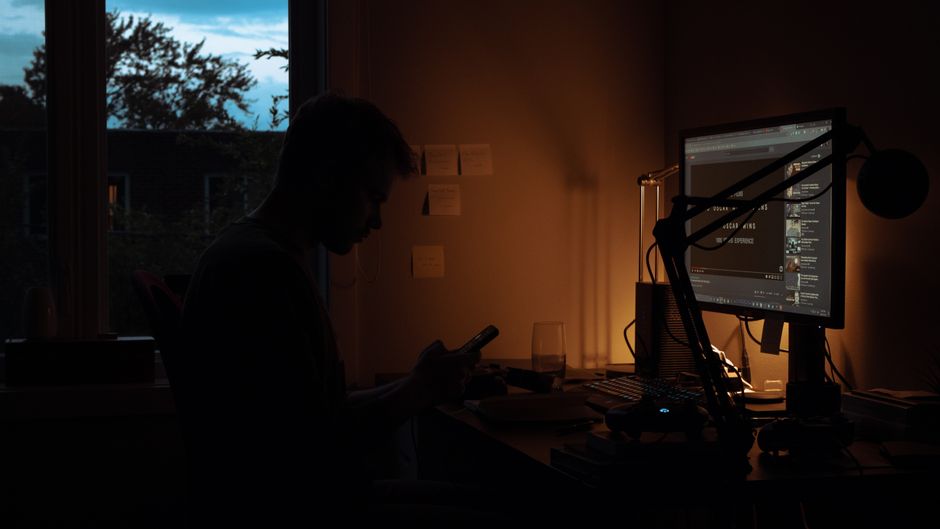
- ✓Bias light: a soft light behind the monitor for evening work
- ✓Video light: a soft front light for calls
Colour temperature and brightness
Neutral to cool white (around 4000 to 5000K) helps focus during the day; warmer light (around 2700 to 3000K) is more comfortable in the evening. Look for lamps with a high colour rendering index (CRI 90 or above) so colours and skin tones look natural, and dimmable output so you can adjust through the day.
Monitor light bars
A monitor light bar sits on top of your screen and lights the desk without reflecting on the display. It saves space on small desks and is one of the most popular upgrades for home offices.
Look better on video calls
Face a window or place a soft light slightly above eye level in front of you. Avoid bright windows behind you and harsh overhead light that casts shadows under your eyes. A small LED panel or ring light set to a soft, low brightness makes a big difference.
Your Questions Answered
What color temperature lighting is best for a home office?
5000K–6500K (cool white/daylight) for tasks requiring focus and detail work — it mimics natural daylight, improves alertness, and reduces eye strain on screens. 3000K–4000K (warm white) for creative work and afternoon hours — it's less stimulating and comfortable for longer sessions. Many LED panels are adjustable. The worst choice: yellow incandescent bulbs (2700K) for a work office — they cause eye fatigue when paired with a bright screen.
Do I need a ring light for video calls?
A ring light ($25–60) dramatically improves your video call appearance if your room lighting is poor. Position it at eye level, 2–3 feet in front of you. The circular catch-light in your eyes looks professional. If you have good natural window light coming from in front of you, you don't need a ring light. What you should avoid: overhead lighting only (causes shadows under your eyes and nose), backlighting (turns you into a silhouette), and no lighting at all in a dark room.
What is bias lighting and does it reduce eye strain?
Bias lighting is a soft light placed behind your monitor that raises the ambient brightness of your visual field, reducing the contrast between your bright screen and the dark room behind it. Studies show it reduces eye fatigue by up to 60% during long screen sessions. A simple LED bias light strip ($15–30) on the back of your monitor is one of the highest-ROI upgrades for eye health. Set it to the same color temperature as your monitor (usually 6500K for most monitors).
How do I stop the glare on my monitor?
Glare solutions in order of effectiveness: (1) Move your desk so no window is directly in front of or behind you — position windows to your side. (2) Add window blinds or sheer curtains to diffuse direct sunlight. (3) Use a matte screen protector on your monitor ($15–30). (4) Tilt your monitor backward slightly to redirect ceiling light reflections. (5) Use a monitor hood for severe glare situations. An anti-glare monitor finish (most modern IPS monitors have this) is important to check before buying.
Is smart lighting (Philips Hue, LIFX) worth it for a home office?
Smart lighting is a nice-to-have, not essential. The main benefits: scheduling lights to change color temperature throughout the day (warmer in morning/evening, cooler midday), voice control, and scene automation. For most home office workers, a good adjustable desk lamp ($40–80) with dimmer and color temperature control gives the same benefit at a fraction of the cost. Smart lights are worth it if you have complex home automation already set up and want your office integrated.
Where to Buy
Advertisement
Sponsored: today's featured offer →Advertisement